Android Auto requirements: The worst news for older phones
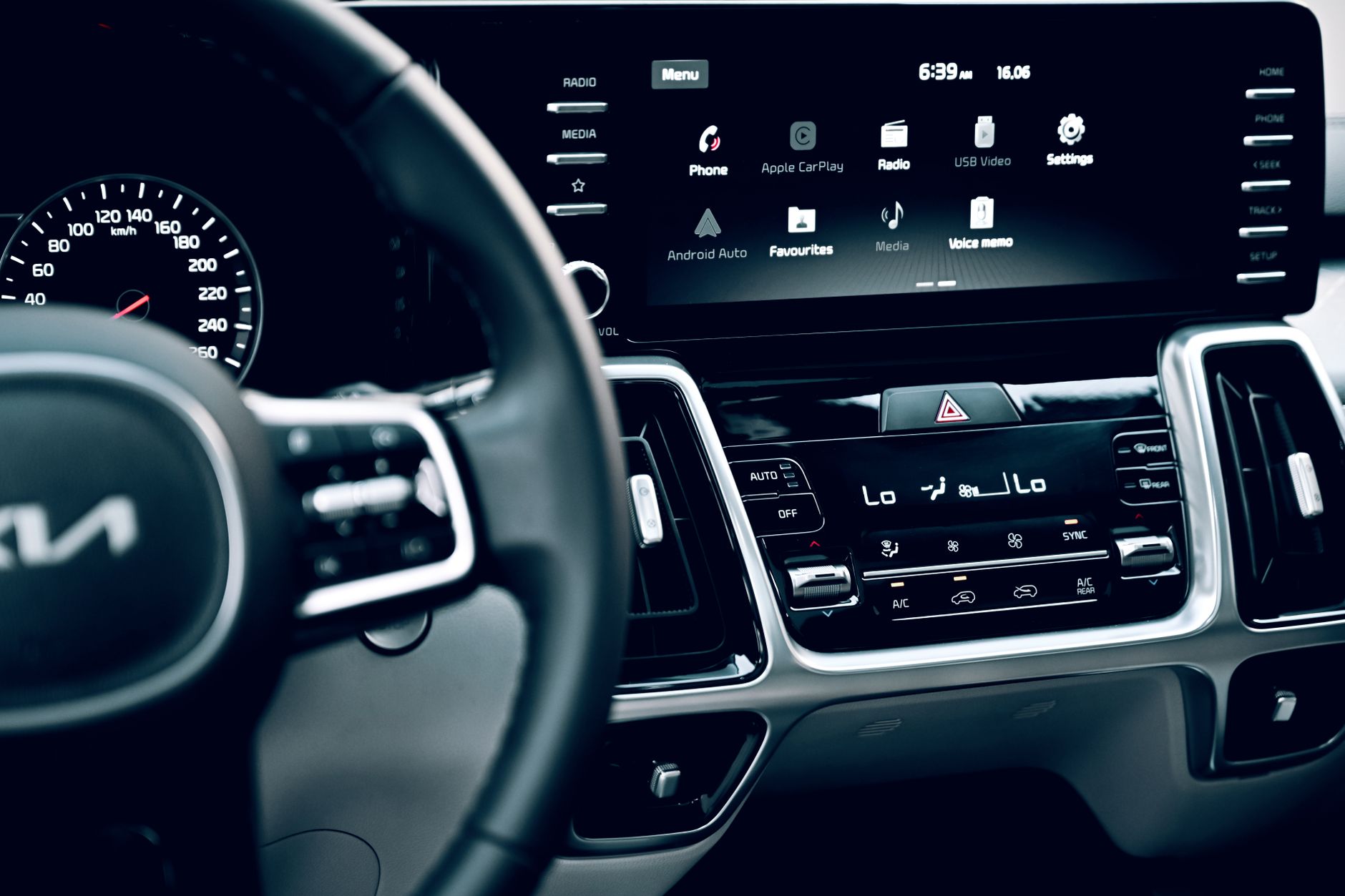
Android Auto requirements have shifted, as the platform now mandates Android 11 or higher. This change means older phones are locked out, leaving many users in a tough spot.
What are the new Android Auto requirements?
Recently, Google has updated the Android Auto requirements, and the changes are significant for users of older smartphones. As of now, Android Auto requires devices to be running on at least Android 11, which means that many users with older phones will find themselves unable to access this popular feature.
The decision to raise the minimum operating system requirement has left many users frustrated, particularly those who are not in a position to upgrade their devices. The following points summarize the implications of these new requirements:
- Compatibility Issues: Devices running on older Android versions, such as Android 10 or earlier, will no longer support Android Auto.
- Feature Limitations: Users with unsupported devices will miss out on new features, updates, and enhancements that come with the latest version.
- Upgrade Necessity: Many users may need to consider purchasing new hardware to enjoy the benefits of Android Auto.
- Impact on Vehicle Integration: The performance and functionality of Android Auto in vehicles will be limited for those with older devices.
Overall, these new Android Auto requirements signal a shift towards a more modern and efficient system, but they also mark a challenging transition for users with older technology. It remains to be seen how this will affect the adoption rate of Android Auto among consumers.
Why is Android Auto dropping support for older phones?
As technology continues to advance, many users are left wondering why certain features are no longer accessible on older devices. In the case of Android Auto, the decision to drop support for older phones can primarily be attributed to evolving software standards and security protocols. Android Auto requirements have become more stringent, necessitating a shift towards newer operating systems.
One of the key reasons for this change is the introduction of new functionalities that enhance user experience and safety. Features such as improved voice commands, better integration with applications, and enhanced navigation support require a minimum hardware specification that older phones can’t meet. As a result, devices running on Android 10 or earlier versions are increasingly becoming obsolete for this particular application.
Moreover, security is a significant concern in the digital age. By focusing on devices that run Android 11 or later, Google aims to ensure that all users benefit from the latest security updates and patches. This move not only protects individual users but also maintains the integrity of the entire Android ecosystem.
Consequently, many users with older phones face the unfortunate reality of being locked out of critical features like Android Auto, forcing them to consider upgrading their devices if they wish to stay connected on the road. The shift highlights a broader trend in technology where progress often comes at the cost of compatibility with legacy systems.
How to check your Android version
To ensure your device is compatible with the latest Android Auto requirements, it’s crucial to check your current Android version. This process is straightforward and can be completed in just a few steps.
Follow these instructions to check your Android version:
- Open the Settings app on your Android device.
- Scroll down and select About phone or About device.
- Look for the option labeled Software information or simply Android version.
- Your current Android version will be displayed prominently. Note this number, as it determines whether your device meets the new Android Auto requirements.
If your device is running Android 11 or higher, you can enjoy the latest features and improvements that Android Auto has to offer. However, if your phone is operating on an older version, you may need to consider upgrading your device to maintain compatibility.
It’s important to stay informed about the evolving requirements, as older phones may become obsolete for certain apps and services. Checking your Android version regularly can help you avoid unexpected disruptions and ensure a smooth experience with Android Auto.
Impact on users with older devices
The recent update to Android Auto has left many users with older devices feeling frustrated and excluded. With the new Android Auto requirements mandating a minimum of Android 11, those relying on smartphones that do not meet this threshold will no longer be able to access the app’s features. This change is particularly disheartening for users with devices that are just a few years old, as it represents a significant shift in the accessibility of this popular platform.
For many drivers, Android Auto has become an essential tool, providing seamless integration between their smartphones and car infotainment systems. With the added functionalities of navigation, music, and communication, the app enhances the driving experience. However, the decision to support only newer devices means that users with older phones will have to either upgrade their hardware or seek alternative solutions.
Additionally, the impact extends beyond just the loss of app access. Many users find themselves in a dilemma about whether to invest in a new phone or to stick with their current device, which may still be functioning adequately for other purposes. The discontinuation of support for older devices will likely lead to increased frustration among loyal Android users who feel left behind by rapid technological advancements.
As the digital landscape continues to evolve, those with older devices may need to adapt quickly or risk losing access to essential applications like Android Auto.
Alternatives to Android Auto for older phones
As Android Auto continues to evolve, users with older phones are left searching for alternatives that can provide similar functionality without the stringent Android Auto requirements. Fortunately, several options exist for those who want to maintain connectivity and access to essential apps while on the road.
- CarPlay for Android: Some third-party applications, such as CarPlay for Android, allow users to experience a similar interface to Apple CarPlay. This can be a good alternative for individuals who appreciate a streamlined experience.
- Screen Mirroring Apps: Apps like Scrcpy and Vysor enable users to mirror their phone screens onto their car’s display. While this might not offer the same level of integration, it still allows access to various apps.
- Bluetooth Streaming: For those who primarily want to play music or take calls, using Bluetooth to connect their phones directly to the car audio system can be a simple and effective solution. Most older cars come equipped with Bluetooth capabilities.
- Dedicated GPS Apps: Users can install dedicated navigation apps like Google Maps or Waze directly on their phones. By running these applications independently, drivers can still receive turn-by-turn directions without needing Android Auto.
While the discontinuation of support for older devices may be disappointing, these alternatives can help users maintain a level of connectivity and functionality without the latest Android Auto requirements.
User reactions to the Android Auto changes
As news of the new Android Auto requirements spreads, user reactions have been mixed, with many expressing frustration over the limitations imposed on older devices. Social media platforms have become a hotbed for discussions, as users share their experiences and concerns regarding the latest changes.
Many users with older phones have taken to forums to voice their displeasure, stating that the upgrade to Android 11 is not an option for them due to hardware limitations. Comments such as, “I just bought this phone two years ago, and now it’s obsolete for Android Auto!” reflect the sentiment of those who feel left behind by the rapid pace of technological advancement.
Some users are trying to find workarounds, while others are lamenting the loss of features they had come to rely on, stating that they feel unfairly penalized for owning older models. A common sentiment is that car manufacturers should provide better support for a wider range of devices, noting that many drivers use their phones for navigation and music.
Additionally, users are actively seeking alternatives to Android Auto, often sharing recommendations for apps that can still deliver basic functionalities without the need for the latest operating system. As the conversation continues, it’s clear that the shift in Android Auto requirements has sparked a significant reaction from users who feel impacted by the changes.
Future updates for Android Auto
The recent changes to Android Auto have left many users concerned about the future of their devices. As mentioned, Android Auto now requires a minimum of Android 11 to function. This shift means that a significant number of older phones will no longer be compatible with the app, prompting users to question what future updates will entail.
With the introduction of these new Android Auto requirements, Google is focusing on enhancing the user experience by leveraging the features and capabilities available in newer versions of Android. As a result, updates to Android Auto are likely to primarily target devices that meet the latest standards. Users can expect improvements in functionality, user interface, and possibly enhanced support for newer vehicle technologies.
However, for those using older devices, the outlook appears grim. Google has not indicated any plans to roll back this requirement or provide alternative support for devices running versions older than Android 11. This means that any future updates or features introduced to Android Auto will be inaccessible to these users.
As technology continues to evolve, it is crucial for users to stay informed about the updates and changes that may impact their devices. For now, it is advisable for owners of older phones to explore alternative applications that may offer similar functionalities without the stringent requirements of Android Auto.
As technology continues to evolve, the Android Auto requirements have become more stringent, leaving many older phones unsupported. This shift highlights the challenges users face as they try to keep up with the latest Android Auto requirements.
Photo by Jeffrey Paa Kwesi Opare on Pexels
Sources
Miami airport plane collision: Worst incident caught on video · Italy fines Meta: The Wrong Move for User Privacy · FAA Grounds Flights: Is This the Worst Travel Situation Ever?